samsung galaxy s10plus stands out as a remarkable flagship device, showcasing a blend of cutting-edge technology and innovative features that cater to the modern smartphone user. With its sleek design, powerful performance, and advanced camera capabilities, it sets a new standard in the smartphone market, making it an appealing choice for tech enthusiasts and casual users alike.
This device not only enhances the user experience through its robust specifications and software improvements but also presents a unique set of functionalities that distinguishes it from its predecessors and competitors. Let’s delve deeper into what makes the Samsung Galaxy S10 Plus a must-have in today’s tech landscape.
Overview of Samsung Galaxy S10 Plus

The Samsung Galaxy S10 Plus is a flagship smartphone that was launched as part of Samsung’s Galaxy S series, offering a blend of cutting-edge technology, innovative design, and powerful performance. With its large display, advanced camera system, and premium build quality, the S10 Plus aims to meet the needs of discerning users.
This device is equipped with a 6.4-inch Dynamic AMOLED display, featuring a resolution of 3040 x 1440 pixels, providing stunning visuals and vibrant colors. The S10 Plus is powered by either the Exynos 9820 or Snapdragon 855 chipset, depending on the region, and comes with options for 8GB or 12GB of RAM. The phone also offers up to 512GB of internal storage, expandable via microSD, allowing for ample space for apps, photos, and videos.
Key Features and Specifications
The Samsung Galaxy S10 Plus boasts several features that enhance the user experience and differentiate it from its competitors.
- Display: The S10 Plus features a Cinematic Infinity Display, which provides an immersive viewing experience with minimal bezels and a punch hole for the front camera.
- Camera System: It has a dual front camera setup (10MP and 8MP) and a triple rear camera system (12MP wide, 12MP telephoto, and 16MP ultra-wide), enabling users to capture high-quality images in various conditions.
- Battery Life: The device is powered by a 4100mAh battery, which supports fast charging and wireless charging, ensuring all-day usage without frequent recharging.
- Software: Running on Samsung’s One UI, based on Android, the S10 Plus provides a user-friendly interface with various customization options.
- Security: The S10 Plus includes an ultrasonic fingerprint scanner embedded beneath the display, offering a secure and convenient method for unlocking the device.
The Galaxy S10 Plus stands out with its unique selling points such as the impressive camera versatility, the state-of-the-art display, and the robust performance, making it a strong contender in the premium smartphone market.
Comparison with Previous Models
When comparing the Samsung Galaxy S10 Plus with earlier models in the Galaxy series, several advancements are evident.
| Feature | Galaxy S9 Plus | Galaxy S10 Plus |
|---|---|---|
| Display Size | 6.2 inches | 6.4 inches |
| Rear Camera | 12MP Wide, 12MP Telephoto | 12MP Wide, 12MP Telephoto, 16MP Ultra-Wide |
| Battery Capacity | 3500mAh | 4100mAh |
| RAM Options | 4GB / 6GB | 8GB / 12GB |
| Storage Options | 64GB / 256GB | 128GB / 512GB |
This table illustrates the evolution of key specifications, showcasing how the Galaxy S10 Plus enhances user experience with improved display size, battery capacity, and camera capabilities compared to its predecessor, the Galaxy S9 Plus. The progression in RAM and storage options also highlights Samsung’s commitment to meeting the demands of power users.
Performance and Software Experience

The Samsung Galaxy S10 Plus exemplifies cutting-edge performance capabilities, equipped with state-of-the-art hardware and optimized software. This combination delivers exceptional speed and efficiency, catering to both casual users and tech enthusiasts alike.
The S10 Plus is powered by the Exynos 9820 (or Qualcomm Snapdragon 855, depending on the region), which is paired with an ample 8GB or 12GB of RAM. This powerhouse chipset not only ensures smooth multitasking and gaming experiences but also supports advanced computational photography and AI capabilities. Users can expect rapid performance, whether launching applications, streaming content, or navigating intensive tasks.
Software Updates and User Experience Enhancements
Samsung’s One UI significantly enhances the software experience on the S10 Plus. This user interface is designed with a focus on usability and accessibility, providing a streamlined and intuitive experience. The transition to One UI has been well-received, as it introduces features such as dark mode, improved gesture navigation, and customizable settings for notifications and home screen layouts. Regular software updates ensure that users receive the latest features and security patches, keeping the device secure and up-to-date.
The personalized experience offered through One UI is complemented by Samsung’s commitment to long-term software support, which includes multiple years of updates and improvements. This approach not only enhances the overall user experience but also extends the device’s lifecycle and functionality.
Top 5 Productivity Apps for the S10 Plus, Samsung galaxy s10plus
The Samsung Galaxy S10 Plus is ideal for productivity with its robust hardware and expansive display. Here are five apps that stand out for enhancing productivity on this device:
- Microsoft Office – This suite includes Word, Excel, and PowerPoint, allowing users to create and edit documents, spreadsheets, and presentations seamlessly on-the-go.
- Google Keep – An efficient note-taking app that allows users to jot down ideas, create checklists, and set reminders, syncing across all devices for easy access.
- Todoist – A powerful task management tool that helps users organize and prioritize their tasks effectively, integrating with other apps and services to enhance workflow.
- Slack – A communication platform designed for teams, facilitating collaboration through channels, direct messaging, and file sharing, making project management more efficient.
- Trello – A visual organization tool that uses boards and cards to help users manage projects and tasks, providing a clear overview of progress and deadlines.
These applications leverage the hardware capabilities of the S10 Plus, enhancing productivity and ensuring that users remain efficient in their daily tasks.
Camera Features and Photography
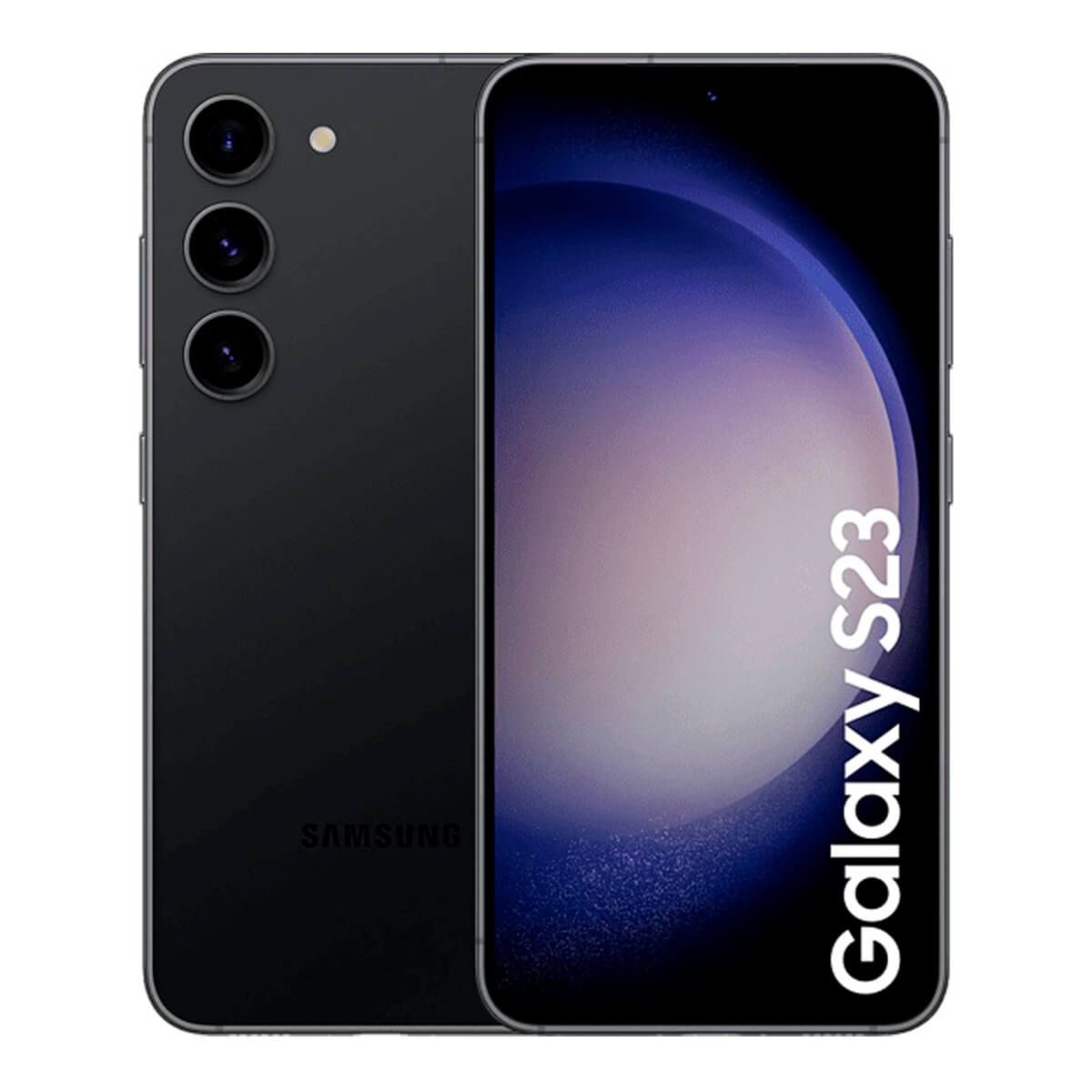
The Samsung Galaxy S10 Plus boasts an impressive camera system that caters to photography enthusiasts and casual users alike. With its advanced specifications and versatile features, it empowers users to capture stunning images in various conditions. The dual-camera setup on the front and the triple-camera array on the back highlight Samsung’s commitment to providing a comprehensive photography experience.
The camera specifications of the Samsung Galaxy S10 Plus include a 12 MP wide lens, a 12 MP telephoto lens, and a 16 MP ultra-wide lens on the rear, along with a dual 10 MP and 8 MP camera setup on the front. The combination of these lenses allows for exceptional versatility, enabling users to switch between different perspectives seamlessly. The ultra-wide lens is particularly significant, offering a 123-degree field of view, making it ideal for landscape shots and group photos. Additionally, features such as Super Speed Dual Pixel autofocus and Optical Image Stabilization enhance the camera’s performance, particularly in low-light conditions.
Optimizing Photography with S10 Plus Camera Features
To maximize the camera capabilities of the Galaxy S10 Plus, users can employ various techniques and settings that enhance image quality. Understanding and utilizing the camera’s advanced features can lead to more professional-looking photographs.
Here are essential tips for optimizing photography with the S10 Plus camera:
– Use the Ultra-Wide Mode: Perfect for expansive landscapes or group shots, this mode allows you to capture more of the scene.
– Adjust Exposure Manually: Tap to focus and then slide the sun icon up or down to adjust the brightness according to your needs.
– Experiment with Night Mode: This feature significantly improves low-light photography by combining multiple frames to create a clearer image.
– Utilize Live Focus: This mode allows you to create a bokeh effect, blurring the background while keeping the subject sharp, ideal for portraits.
– Leverage Scene Optimizer: Automatically adjusts camera settings based on the scene detected, ensuring optimal results without manual adjustments.
When shooting in different conditions, specific camera settings can enhance your photography. Below are recommended settings tailored for various scenarios:
The following settings will help achieve the best results in diverse lighting and subject conditions:
- Bright Daylight: Use HDR mode to balance highlights and shadows; set ISO to 50 for minimal noise.
- Low Light: Activate Night Mode; use a longer exposure time with the tripod for stability.
- Portraits: Use Live Focus for depth effect; ensure adequate lighting for best facial detail.
- Landscapes: Select the ultra-wide lens; utilize f/1.5 for a wider aperture to capture more light.
- Macro Shots: Get close to the subject without losing focus; use Pro mode for manual control over focus and exposure.
By applying these tips and settings, users can unlock the full potential of the Samsung Galaxy S10 Plus camera, allowing for creative expression and capturing memories in stunning detail.
Battery Life and Charging Technology
The Samsung Galaxy S10 Plus is equipped with a robust battery designed to support its extensive features and capabilities. The device comes with a 4,100mAh battery, which plays a crucial role in ensuring that users can enjoy their smartphone’s functionalities throughout the day without frequent recharging. Its performance is further enhanced by software optimizations that manage battery consumption effectively during various tasks.
One of the standout features of the S10 Plus is its advanced charging technology. The device supports both fast charging and wireless charging, allowing users to power up their smartphone conveniently and efficiently. The fast charging feature can deliver a significant amount of power in a short period, making it ideal for users who are always on the go.
Battery Performance Across Usage Scenarios
Understanding how battery life can vary with different usage scenarios is essential for users aiming to maximize their device’s performance. The following table compares the Galaxy S10 Plus’s battery life under various conditions, taking into account settings adjustments that can influence overall battery performance.
| Usage Scenario | Battery Life Estimate | Settings Adjustments |
|---|---|---|
| Mixed Usage (Social Media, Browsing) | Up to 12 hours | Brightness: Medium, Data: On |
| Video Streaming (YouTube at 1080p) | Up to 10 hours | Brightness: High, Data: On |
| Gaming (Graphic Intensive) | Up to 6 hours | Brightness: High, Data: On |
| Standby Mode | Up to 2 days | Brightness: Low, Data: Off |
| Navigation (GPS Use) | Up to 8 hours | Brightness: Medium, Data: On |
The detailed comparisons indicate that the Galaxy S10 Plus can handle various tasks efficiently, ensuring users can go through their day while still relying on their device for communication, entertainment, and work-related activities. Efficient battery management is crucial, and the S10 Plus’s capabilities in this area showcase Samsung’s commitment to enhancing user experience through technology.
Expert Answers: Samsung Galaxy S10plus
What is the battery capacity of the samsung galaxy s10plus?
The samsung galaxy s10plus has a battery capacity of 4100 mAh.
Does the samsung galaxy s10plus support wireless charging?
Yes, the samsung galaxy s10plus supports both fast and wireless charging technologies.
What are the standout camera features of the samsung galaxy s10plus?
The standout camera features include a triple-lens setup, including a 12 MP wide lens, a 12 MP telephoto lens, and a 16 MP ultra-wide lens.
Is the software customizable on the samsung galaxy s10plus?
Yes, the samsung galaxy s10plus offers extensive customization options through Samsung’s One UI.
What are the top productivity apps recommended for samsung galaxy s10plus?
Some top productivity apps include Microsoft Office, Google Drive, Trello, Evernote, and Slack.
The Samsung Galaxy S series has consistently pushed the boundaries of smartphone innovation, offering users cutting-edge features and sleek designs. From enhanced camera capabilities to powerful performance, it’s no wonder that this series remains a favorite among tech enthusiasts. Each new release brings exciting advancements, making it a worthwhile investment for anyone looking to elevate their mobile experience.
For those who crave a premium smartphone experience, the Samsung Galaxy S10 Plus stands out with its stunning display and impressive battery life. This device not only excels in photography with its versatile camera setup but also ensures smooth multitasking thanks to its robust hardware. Whether you’re gaming or streaming content, the S10 Plus delivers a top-notch performance that keeps users satisfied.